
Transfer FilesAt Wire Speed.
LANSync moves files between your devices over local Wi-Fi — no cloud, no accounts, no limits. Just your router and maximum bandwidth.
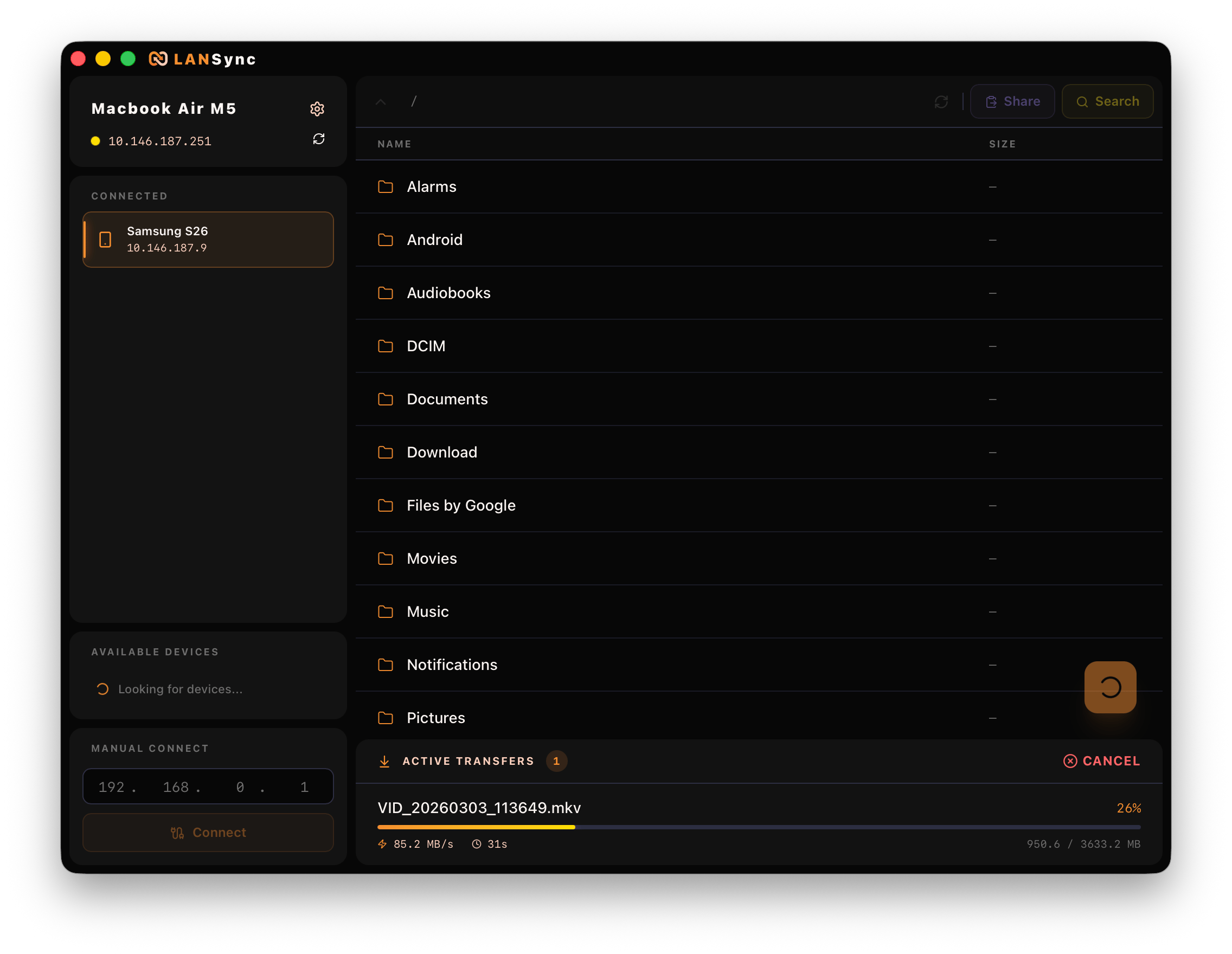
Everything you need.
Nothing you don't.
Auto Host Discovery
Automatically detects active LANSync devices on your network — no IP configuration needed.
Recursive Folder Sharing
Sync entire directory trees instantly, preserving structure and hierarchy.
Drag & Drop Upload
Drop files and folders directly into the desktop app. Effortless, instant transfers.
Smart Space Checker
Pre-flight storage validation checks the receiving device's available space before transfer, preventing failures.
Transfer Cancellation
Instantly cancel any active transfer. LANSync automatically rolls back and cleans up partial files.
Clipboard Sync
Copy on PC, paste on phone. And vice versa. Text clipboard sync with a single click.
Secure Peer-to-Peer
Token-based authentication and connection request modals ensure no one accesses your files without permission.
True Background Execution
Android Foreground Service with Partial WakeLocks keeps transfers running when your screen turns off.
Zero Cloud, Full Privacy
All transfers happen over your local network. No servers, no accounts, no data leaves your home.
Works everywhere
you work.
One codebase. Native feel on every platform. Built with Wails + Go for desktop, Kotlin + Compose for Android.
Run: xattr -cr /Applications/LANSync.app after install
Requires dpkg or compatible package manager
Dual-server.
Zero config.
Both devices spin up lightweight Go HTTP servers on port 34931 and exchange cryptographic bearer tokens for secure bidirectional streaming.
Pair devices
Open LANSync on both your PC and Android. They discover each other automatically via mDNS — no IP typing.
Authenticate
A connection request appears on the receiving device. Token-based auth ensures only you can access your files.
Transfer
Browse remote files, drag & drop to upload, or click download. Real-time speed and progress — no cloud round-trip.
Done
Files arrive instantly at full LAN speed. The app rolls back and cleans up if you cancel or something fails.
Up and running
in 60 seconds.
- 1Download lansync-setup.exe from Releases
- 2Run the installer
- 3If SmartScreen blocks: click 'More info' → 'Run anyway'
- 1Download and extract lansync-macos-arm64.zip (M1+) or lansync-macos-amd64.zip (Intel)
- 2Move LANSync.app to /Applications
- 3Run the xattr command to bypass Gatekeeper:
xattr -cr /Applications/LANSync.app- 1Download the .deb package (Debian/Ubuntu) or .tar.gz (any distro)
- 2Open terminal in your Downloads folder
- 3Install the .deb with dpkg:
sudo dpkg -i lansync-linux-amd64.deb- 1Download lansync_release.apk to your phone
- 2Tap the file to open installer
- 3Enable 'Install from unknown sources' if prompted
- 4Tap Install
Stop waiting
for the cloud.
LANSync is free, open source, and transfers at the full speed of your local network. No subscriptions. No servers. Just speed.